
• Skip to main content

Brand Palettes

Logo Color Codes and Palettes

  • All Brands (A-Z)

Google Pay Color Codes

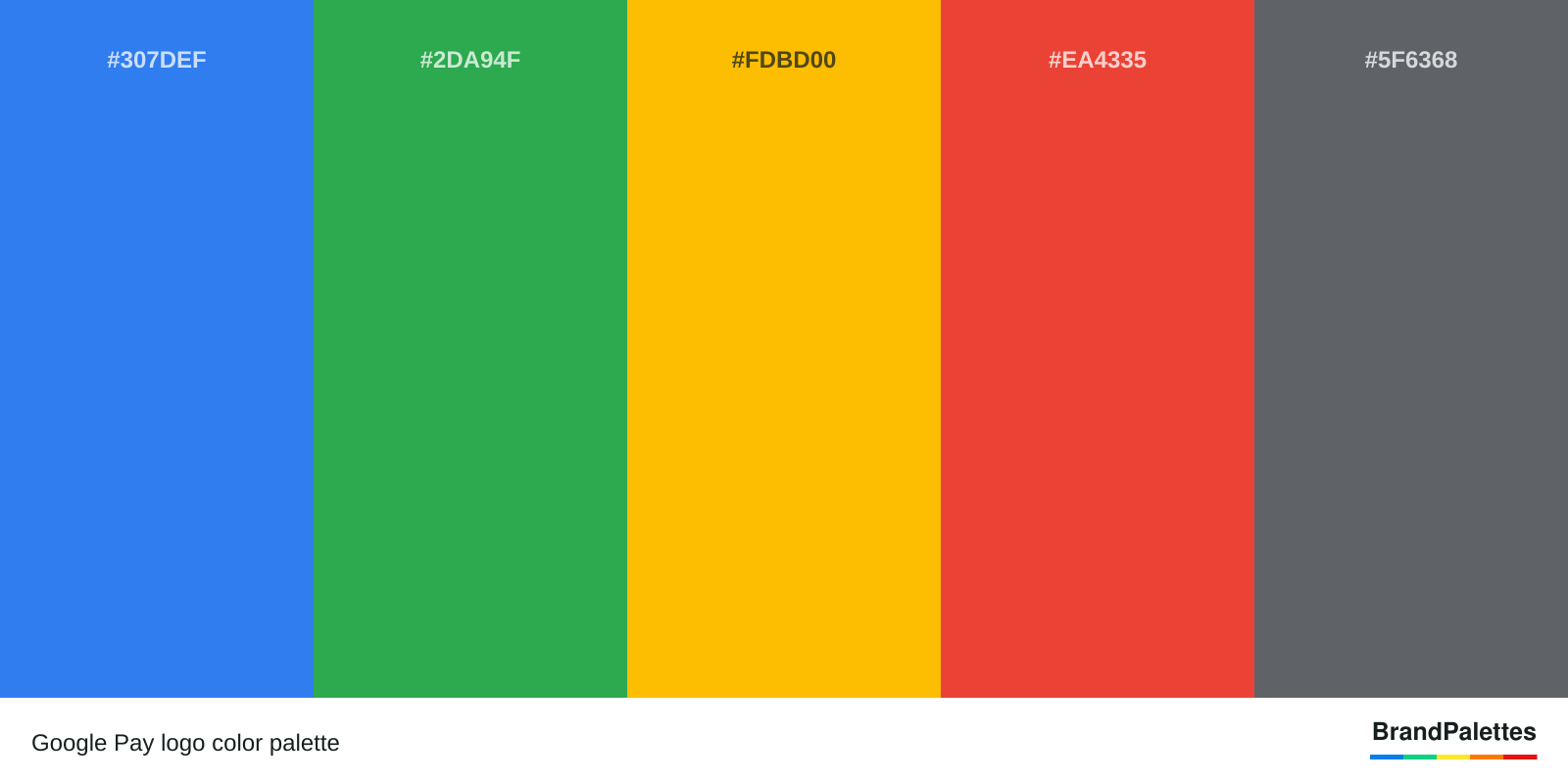
The official colors of Google Pay are blue, green, yellow, red, and gray. Google Pay logo colors represent trust, growth, creativity, passion, and balance. Google Pay color palette has been the same since 2020. Google Pay color scheme can be used for design projects and purposes. Google Pay color codes and scheme for Pantone, HTML, HEX, RGB, and CMYK can be found below.

Google Pay Official and Primary Colors

The official and primary colors of Google Pay can be found below.

Google Pay Colors
Blue
Hex: #307DEF
RGB: (48, 125, 239)
CMYK: (76, 51, 0, 0)
PANTONE: PMS 2727 C
Green
Hex: #2DA94F
RGB: (45, 169, 79)
CMYK: (79, 6, 96, 1)
PANTONE: PMS 7739 C
Yellow
Hex: #FDBD00
RGB: (253, 189, 0)
CMYK: (1, 27, 100, 0)
PANTONE: PMS 7408 C
Red
Hex: #EA4335
RGB: (234, 67, 53)
CMYK: (2, 89, 87, 0)
PANTONE: PMS 179 C
Gray
Hex: #5F6368
RGB: (95, 99, 104)
CMYK: (64, 53, 48, 20)
PANTONE: PMS Cool Gray 10 C

Color Codes of Google Pay in HEX, RGB, CMYK and Pantone
Color Name HEX Color Code RGB Color Code CMYK Color Code Pantone Color Code
Blue #307DEF (48, 125, 239) (76, 51, 0, 0) PMS 2727 C
Green #2DA94F (45, 169, 79) (79, 6, 96, 1) PMS 7739 C
Yellow #FDBD00 (253, 189, 0) (1, 27, 100, 0) PMS 7408 C
Red #EA4335 (234, 67, 53) (2, 89, 87, 0) PMS 179 C
Gray #5F6368 (95, 99, 104) (64, 53, 48, 20) PMS Cool Gray 10 C
Get our lifetime icon deal

Table of Contents

  • 1 Google Pay Official and Primary Colors
    • 1.1 Google Pay Hex Color Codes
    • 1.2 Google Pay Color Codes RGB
    • 1.3 Google Pay Color Scheme CMYK
    • 1.4 Google Pay Pantone Colors
  • 2 What are the Logo Colors of Google Pay?
    • 2.1 Google Pay Logo Color Palette Image Format
    • 2.2 Google Pay Logo Fonts
    • 2.3 Google Pay Logo JPG
    • 2.4 Google Pay Logo PNG
  • 3 What Is the Meaning of the Google Pay logo?
    • 3.1 Google Pay Logo Story
  • 4 Google Pay Logo Colors Confirmation
  • 5 What are Other Similar Brands that Use Same Color Schemes as Google Pay?
See also  GCI Graphics Colors

Google Pay Hex Color Codes

Google Pay HEX color codes are #307DEF for blue, #2DA94F for green, #FDBD00 for yellow, #EA4335 for red, and #5F6368 for gray. Google Pay colors as HEX can be found below.

Google Pay HEX color for blue can be found below.

#307DEF

Google Pay HEX color for green can be found below.

#2DA94F

Google Pay HEX color for yellow can be found below.

#FDBD00

Google Pay HEX color for red can be found below.

#EA4335

Google Pay HEX color for gray can be found below.

#5F6368

Color Codes of Google Pay as HEX
Color Name HEX Color Code
Blue #307DEF
Green #2DA94F
Yellow #FDBD00
Red #EA4335
Gray #5F6368
Get our lifetime icon deal

Google Pay Color Codes RGB

Google Pay RGB color scheme is (48, 125, 239) for blue, (45, 169, 79) for green, (253, 189, 0) for yellow, (234, 67, 53) for red, and (95, 99, 104) for gray. Google Pay color palette as RGB can be found below.

Google Pay RGB color code for blue can be found below.

(48, 125, 239)

Google Pay RGB color code for green can be found below.

(45, 169, 79)

Google Pay RGB color code for yellow can be found below.

(253, 189, 0)

Google Pay RGB color code for red can be found below.

(234, 67, 53)

Google Pay RGB color code for gray can be found below.

(95, 99, 104)

Color Codes of Google Pay as RGB
Color Name RGB Color Code
Blue (48, 125, 239)
Green (45, 169, 79)
Yellow (253, 189, 0)
Red (234, 67, 53)
Gray (95, 99, 104)
Get our lifetime icon deal

Google Pay Color Scheme CMYK

Google Pay CMYK color codes are (76, 51, 0, 0) for blue, (79, 6, 96, 1) for green, (1, 27, 100, 0) for yellow, (2, 89, 87, 0) for red, and (64, 53, 48, 20) for gray. Google Pay color palette as CMYK can be found below.

See also  Global Entrepreneurship Summit 2017 Colors

Google Pay CMYK color code for blue can be found below.

(76, 51, 0, 0)

Google Pay CMYK color code for green can be found below.

(79, 6, 96, 1)

Google Pay CMYK color code for yellow can be found below.

(1, 27, 100, 0)

Google Pay CMYK color code for red can be found below.

(2, 89, 87, 0)

Google Pay CMYK color code for gray can be found below.

(64, 53, 48, 20)

Color Codes of Google Pay as CMYK
Color Name CMYK Color Code
Blue (76, 51, 0, 0)
Green (79, 6, 96, 1)
Yellow (1, 27, 100, 0)
Red (2, 89, 87, 0)
Gray (64, 53, 48, 20)
Get our lifetime icon deal

Google Pay Pantone Colors

Google Pay Pantone color codes are PMS 2727 C for blue, PMS 7739 C for green, PMS 7408 C for yellow, PMS 179 C for red, and PMS Cool Gray 10 C for gray. Google Pay Pantone colors can be found below.

Google Pay Pantone (PMS) color code for blue can be found below.

PMS 2727 C

Google Pay Pantone (PMS) color code for green can be found below.

PMS 7739 C

Google Pay Pantone (PMS) color code for yellow can be found below.

PMS 7408 C

Google Pay Pantone (PMS) color code for red can be found below.

PMS 179 C

Google Pay Pantone (PMS) color for gray can be found below.

PMS Cool Gray 10 C

Color Codes of Google Pay as Pantone
Color Name Pantone Color Code
Blue PMS 2727 C
Green PMS 7739 C
Yellow PMS 7408 C
Red PMS 179 C
Gray PMS Cool Gray 10 C
Get our lifetime icon deal

What are the Logo Colors of Google Pay?

Google Pay logo has blue, green, yellow, red, and gray colors and bracket-like graphical shapes that resemble a wallet and words spelling Google Pay. The Google Pay logo represents the secured contactless payment scheme that the platform offers.

See also  Google Duo Blue Colors

Google Pay Logo Color Palette Image Format

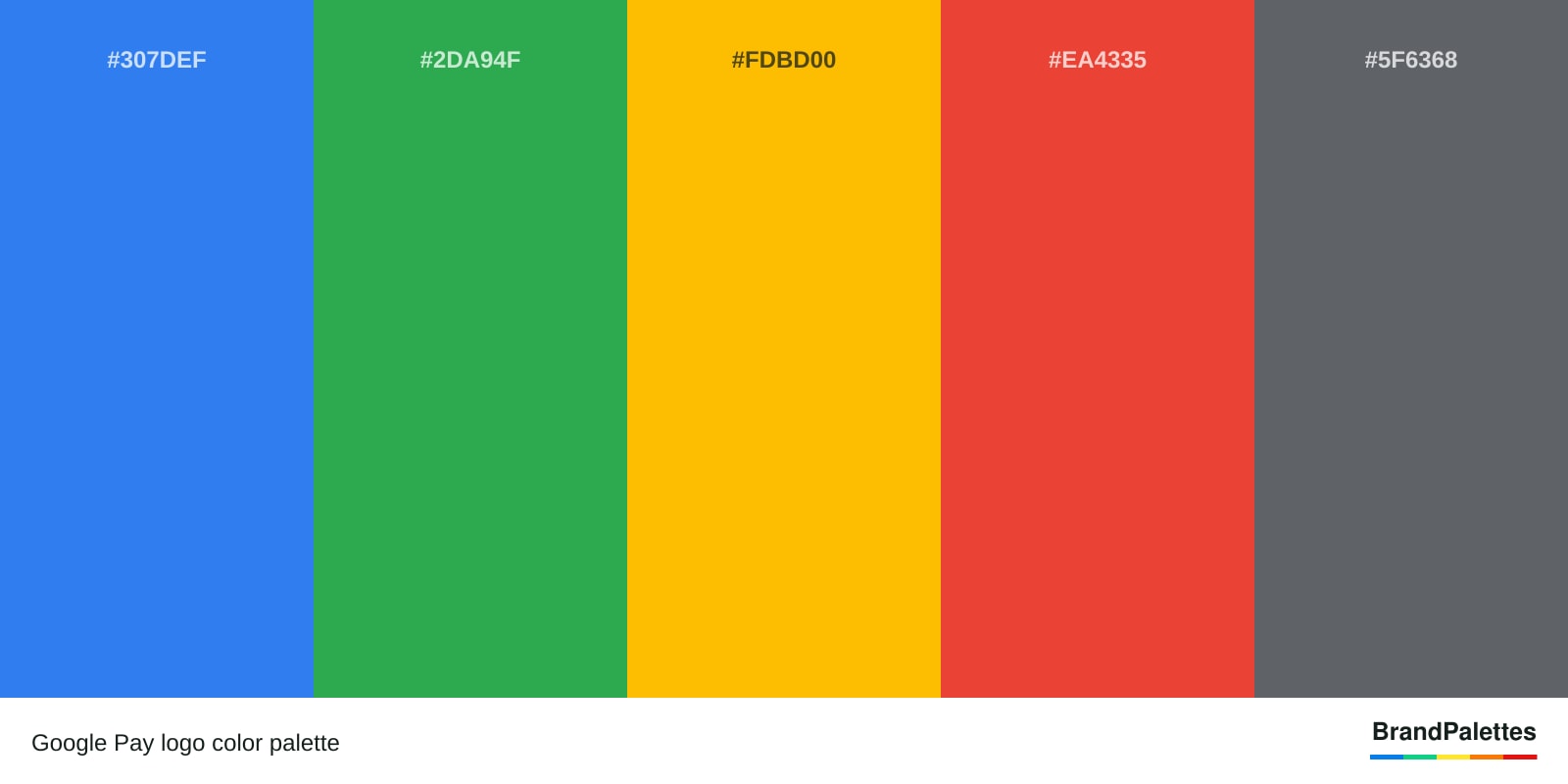
The Google Pay logo colors can be found in an image format below.

https://brandpalettes.com/wp-content/uploads/2021/06/Google-Pay-Logo-Color-Palette-Image.png

Google Pay Logo Fonts

The Google Pay logo font is Product Sans. The Product Sans font is used for marketing, branding, and wordmark. The Product Sans font was created by Steve Matteson. Google Pay Font is also used by Google, Youtube, and Google Play brands.

Google Pay Logo JPG

The Google Pay logo in JPG format can be found below.

Google Pay Logo in JPG format

To download the Google Pay logo in JPG format, right-click and choose save.

Google Pay Logo PNG

The Google Pay logo in PNG format can be found below.

Google Pay Logo in PNG format

To download the Google Pay logo in PNG format, right-click and choose save.

What Is the Meaning of the Google Pay logo?

Google Pay logo represents money through contactless payments. Google Pay logo colors represent trust, growth, creativity, passion, and balance. The blue color from the Google Pay logo represents trust. The green color from Google Pay logo symbolizes growth. The yellow color from Google Pay logo symbolizes creativity. The red color from Google Pay logo symbolizes passion. The gray color from Google Pay logo symbolizes balance.

Google Pay Logo Story

Google Pay logo has been created by Google designers. Google designers has created Google Pay logo and chosen blue, green, yellow, red, and gray as the Google Pay brand color palette because this color combination represents the reputation of Google Pay in the contactless payment industry.

Google Pay Logo Colors Confirmation

Google Pay logo colors are confirmed by the Google Pay company. The blue, green, yellow, red, and gray colors for the Google Pay brand logo can be confirmed by visiting Google Pay official website.

What are Other Similar Brands that Use Same Color Schemes as Google Pay?

Brands that use colors similar to Google Pay are listed below.

  1. Google Meet
  2. Google Play
  3. Google Chrome
  4. Google
  5. Google Search

Filed Under: "G" Brands

Copyright © 2026 Brand Palettes | Privacy Policy

  • Canva Color Codes
  • Red Bull Color Codes
  • Coca-Cola Color Codes
  • Twitter Color Codes
  • LinkedIn Color Codes
  • Facebook Color Codes
  • YouTube Color Codes
  • Google Search Results Colors
  • Discord Color Codes
  • Instagram Color Codes
  • TikTok Color Codes